
How EVV (Electronic Visit Verification) Works
What is EVV?
EVV stands for Electronic Visit Verification. It uses technology to verify who provides care, how long each shift lasts, and where the care is performed.
EVV is mandated (required) by the Federal government. It matters because the government wants to know that their Medicaid dollars are being spent correctly. This means that EVV makes sure that people providing care are being paid the right amount. And that people receiving care are getting the right services in the right place.
How does EVV work?
Caregivers use the GT App to sign in and out of their shifts. When hitting clock in or out, the phone notes their geolocation, making the shift EVV compliant. This works with or without data or internet connection.
The employer (often the participant) can review and approve hours on the caregiver’s device, so there’s no delay with the paycheck. The caregiver is also able to see at a glance whether their shift is approved.
The app works on most tablets and smartphones.
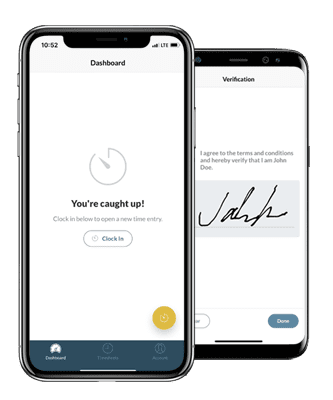
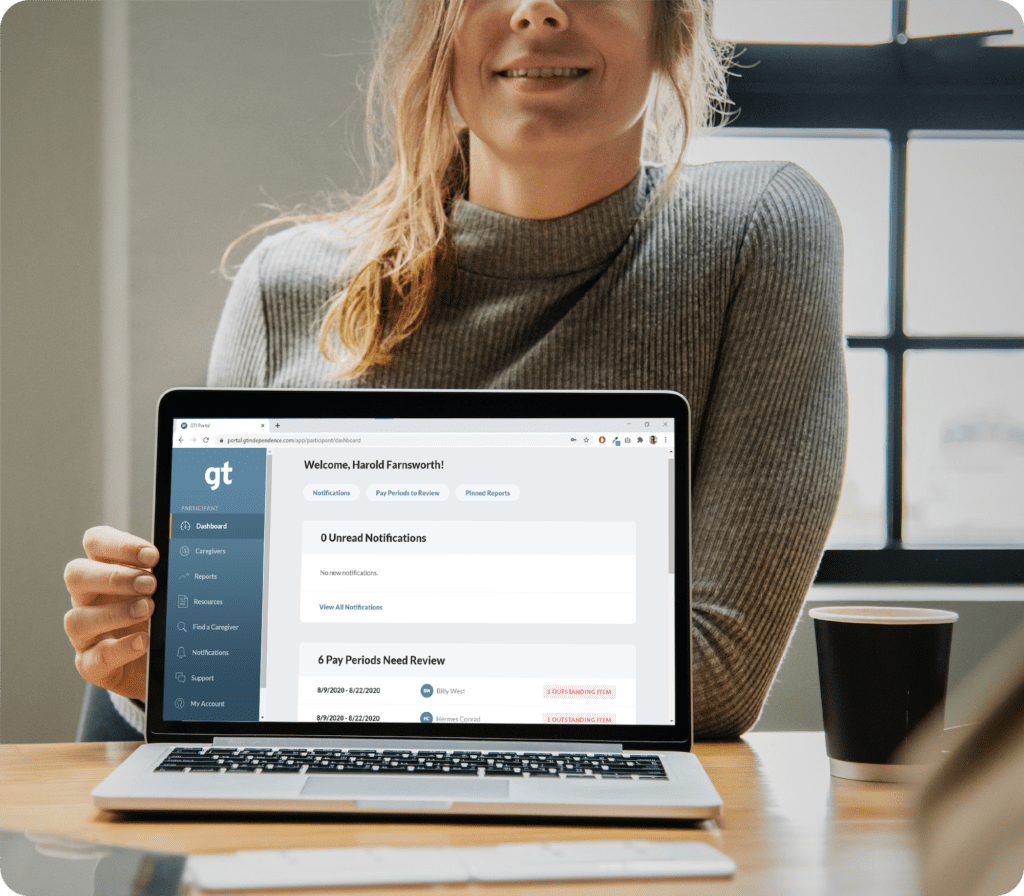
The GT Portal syncs with the GT App. The portal allows participants to review and approve submitted time entries on their personal device.
Participants can review timesheets and previous shifts on the portal. They can also review reports on EVV compliance—along with many other helpful real-time reports. This puts full control of services at the participants’ fingertips.
The GT Portal works on web browser. The portal can access it through phone, tablet, or laptop.
Frequently Asked Questions About EVV
Do I need to use EVV right now?
While the Federal government has mandated EVV, some states are still working on rolling it out. Talk with your case manager (or GT support specialist) to learn if EVV is required in your state.
Can I still use paper timesheets if I want?
Paper timesheets don’t meet the government’s EVV requirement. This means that in most states, GT can no longer accept paper timesheets.
All hourly employees at GT Independence also use the GT App to track time. So we understand how the app works and can quickly and easily provide support.
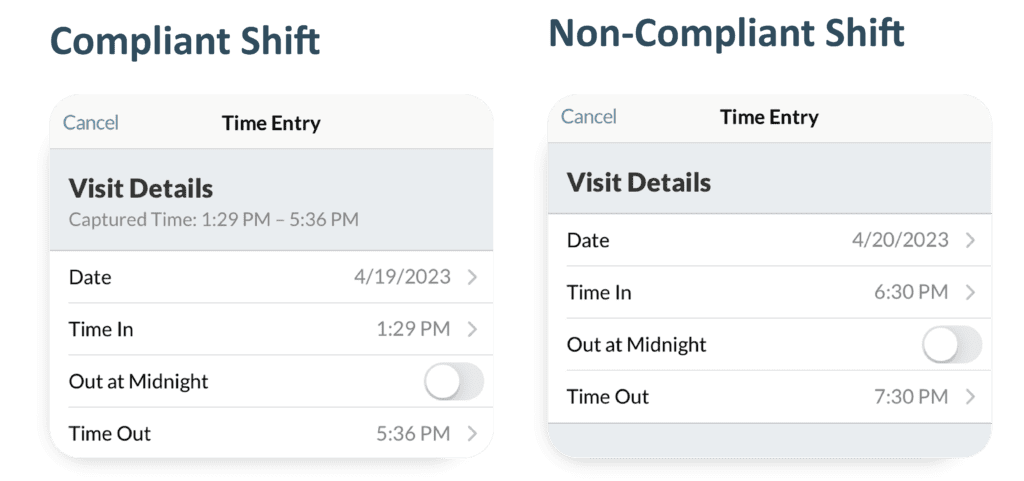
How do I tell if a shift is compliant on the GT App?
Checking Shift Compliance on the GT App
- If it shows Capture Time, the shift is compliant
- If it does not show Capture Time, the shift is not compliant
- In the Time Entry Review screen, check Visit Details
How do I tell if a shift is compliant on the GT Portal?
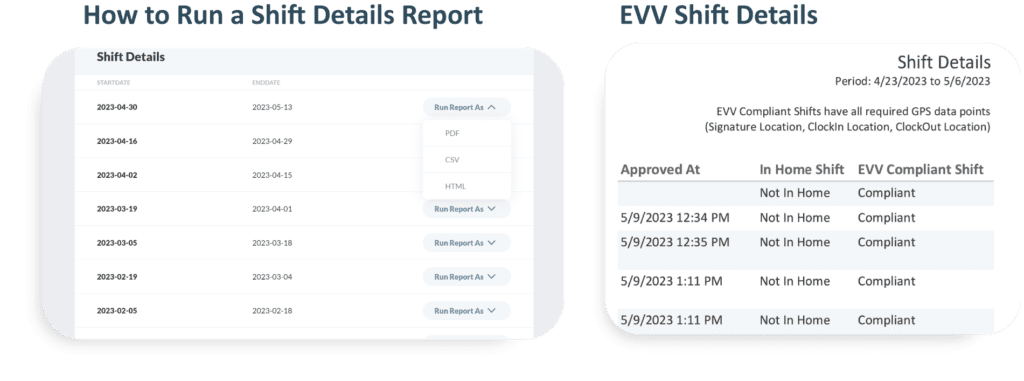
Checking Shift Compliance on the GT Portal
- Sign into your GT Portal account
- Select Reports from the left-hand navigation menu
- Run a Shift Detail Report in your preferred format
- Review the EVV Shift Details
What if the employee/caregiver doesn’t have a smartphone or tablet?
Any device (compatible with the app) works to record time. Each caregiver has their own username and password. This allows them to sign into any device to clock in and out. Sometimes, the participant provides the device, and all the caregivers can sign into that device using their unique credentials to record time. In this case, the device must always stay with the person being served.
What if no one involved in care has a smartphone or tablet?
Since EVV is a federal mandate, all people enrolled in GT Independence must submit time on the GT App. If you need a device, reach out to your case manager to see what federal and state programs are available to you.
About the GT App
This page is your hub for all things GT App. It tells you where to download it and links you to helpful training resources, like training videos, user guides, FAQs, and more.
GT App User Guide
The user guide gives you a step-by-step walkthrough of how to create an account, download the app, and use all the different features.
GT App FAQs
This resource walks you through general questions about the GT App and how it works.
Troubleshooting Unexpected Situations With the App
All hourly employees at GT Independence also use the GT App to track time. So we understand how the app works and can quickly and easily provide support.
About the GT Portal
This page is your hub for all things GT Portal. It tells you how to access the portal and links you to helpful resources, like training guides, FAQs, and more.
Contact GT Customer Service
All hourly employees at GT Independence also use the GT App to track time. So we understand how the app works and can quickly and easily provide support.
Contact GT With Any EVV Questions
Visit gtindependence.com/app to download the GT App on your tablet or smartphone. Then talk with GT support specialists to set up your GT Portal account.
If you have questions about when or if EVV will be mandated in your state, talk with your case manager.
- Call Us: 877.659.4500
- Email Us: customerservice@gtsd.org